Available on Setapp · macOS 12+

The Dock,
supercharged.

A real right-click menu for every file, folder, and Stack in your Dock. Open with, AirDrop, copy, trash. Without ever opening Finder.
Available on Setapp. No ads, no tracking.

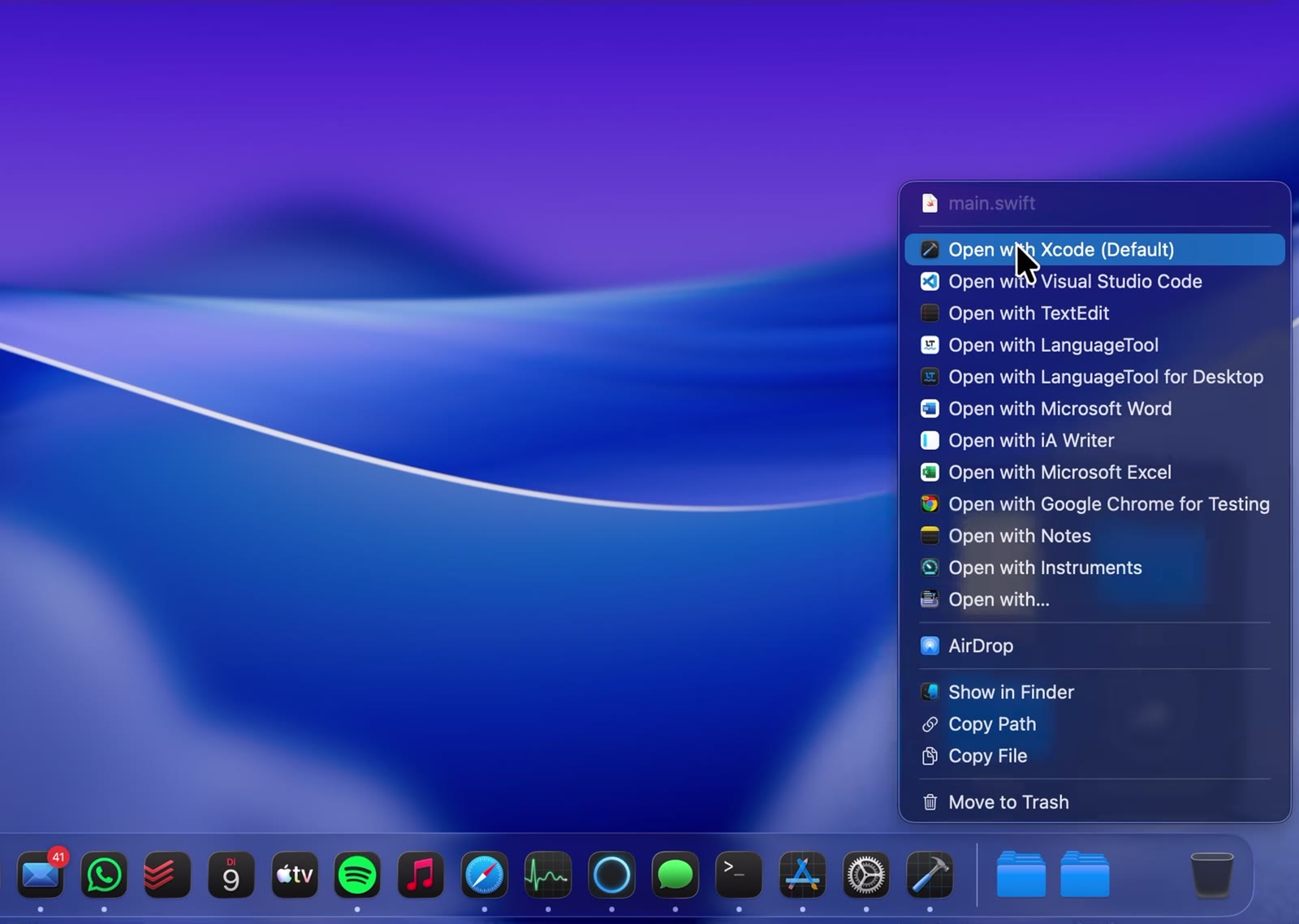
DockIntercept context menu open over a Dock item, showing Open with, AirDrop, Copy Path and Move to Trash
See it in action

Scroll to play.

Right-click any file in your Dock.

Open it with any app. No Finder detour.

AirDrop it to a nearby device.

Works inside Stacks. Jump straight to Finder.

Copy the path. Or trash it. Done.

Features

Everything you wish the Dock could do.

One right-click. Every action you need. Right where your files already live.

Open with any app

Your preferred apps for each file type sit right at the top, followed by every system suggestion.

AirDrop instantly

Send any Dock file straight to a nearby device. One click, no Finder window required.

Copy path or file

Grab the full path as text or the file itself. Focus returns to your previous app, so paste just works.

Works inside Stacks

The menu appears in Dock Stack fan and grid views too, not just on pinned items.

Move to Trash

Delete from the Dock without dragging. Lingering Stack copies are cleaned up automatically.

Invisible by design

No Dock icon of its own. Launches at login. Settings are a double-click away when you need them.

Get started

Installed in under a minute.

1

Install from Setapp

Open Setapp, search for DockIntercept, and click install. It lands in your Applications folder automatically.

2

Grant Accessibility access

On first launch, macOS opens Privacy & Security → Accessibility. Flip the switch. The app restarts itself automatically.

3

Right-click your Dock

That's it. The extended menu appears on any file, folder, or Stack item in your Dock.

Take control of your Dock.

Available on Setapp. macOS 12 or later.

Get it on Setapp